

For larger evaluation jobs in Python we recommend using aevaluate(), the asynchronous version of evaluate(). It is still worthwhile to read this guide first, as the two have identical interfaces, before reading the how-to guide on running an evaluation asynchronously.In JS/TS evaluate() is already asynchronous so no separate method is needed.It is also important to configure the
max_concurrency/maxConcurrency arg when running large jobs. This parallelizes evaluation by effectively splitting the dataset across threads.Define an application
First we need an application to evaluate. Let’s create a simple toxicity classifier for this example.Create or select a dataset
We need a Dataset to evaluate our application on. Our dataset will contain labeled examples of toxic and non-toxic text. Requireslangsmith>=0.3.13
Define an evaluator
There are two main ways to define an evaluator.Locally in code
You can also check out LangChain’s open source evaluation package openevals for common prebuilt evaluators.
- Python: Requires
langsmith>=0.3.13 - TypeScript: Requires
langsmith>=0.2.9
In LangSmith UI
You can also define an evaluator in the LangSmith UI. You can create evaluators in the UI under the Evaluators tab. These evaluators will be automatically triggered with every new experiment.Run the evaluation
We’ll use the evaluate() / aevaluate() methods to run the evaluation. The key arguments are:- a target function that takes an input dictionary and returns an output dictionary. The
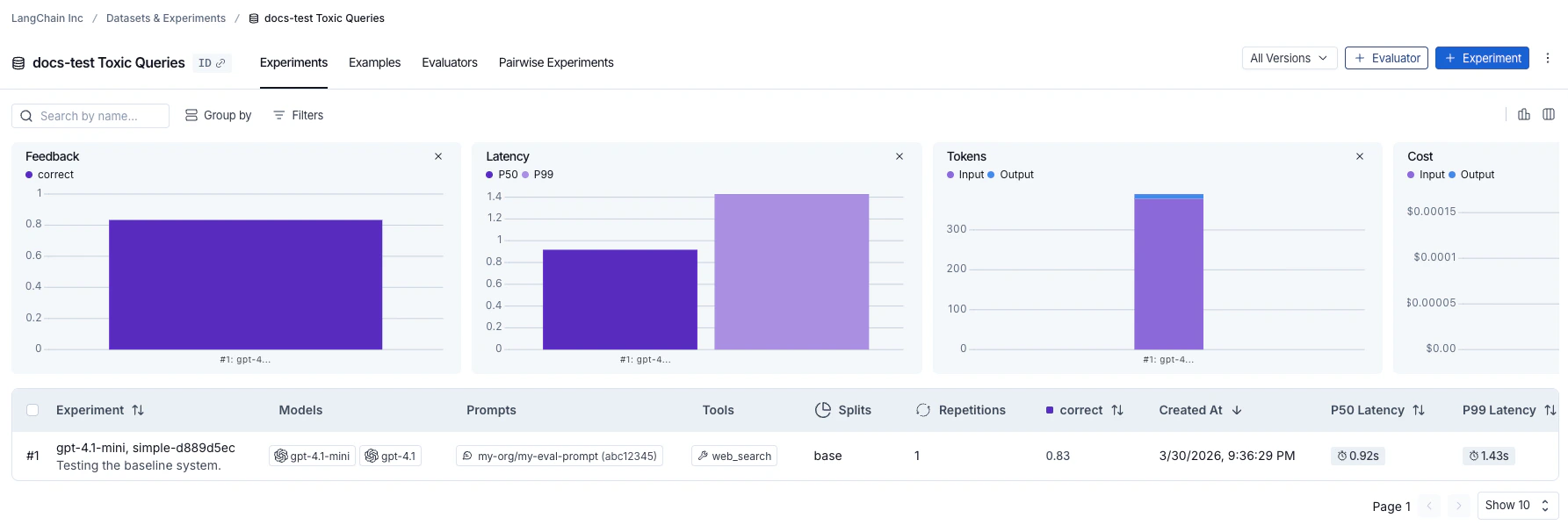
example.inputsfield of each Example is what gets passed to the target function. In this case ourtoxicity_classifieris already set up to take in example inputs so we can use it directly. data- the name OR UUID of the LangSmith dataset to evaluate on, or an iterator of examples.evaluators- a list of evaluators to score the outputs of the function; dataset evaluators in the Langsmith UI will also automatically get triggered.metadata- an optional object to attach to the experiment. Passmodels,prompts, andtoolskeys to populate the corresponding columns in the experiment table view.
langsmith>=0.3.13
Add metadata to an experiment
Metadata is a set of key-value pairs you can attach to an experiment to group and filter experiments in the experiments table. You can pass metadata when running an experiment via themetadata argument (see Run the evaluation), or add it afterwards directly in the LangSmith UI.
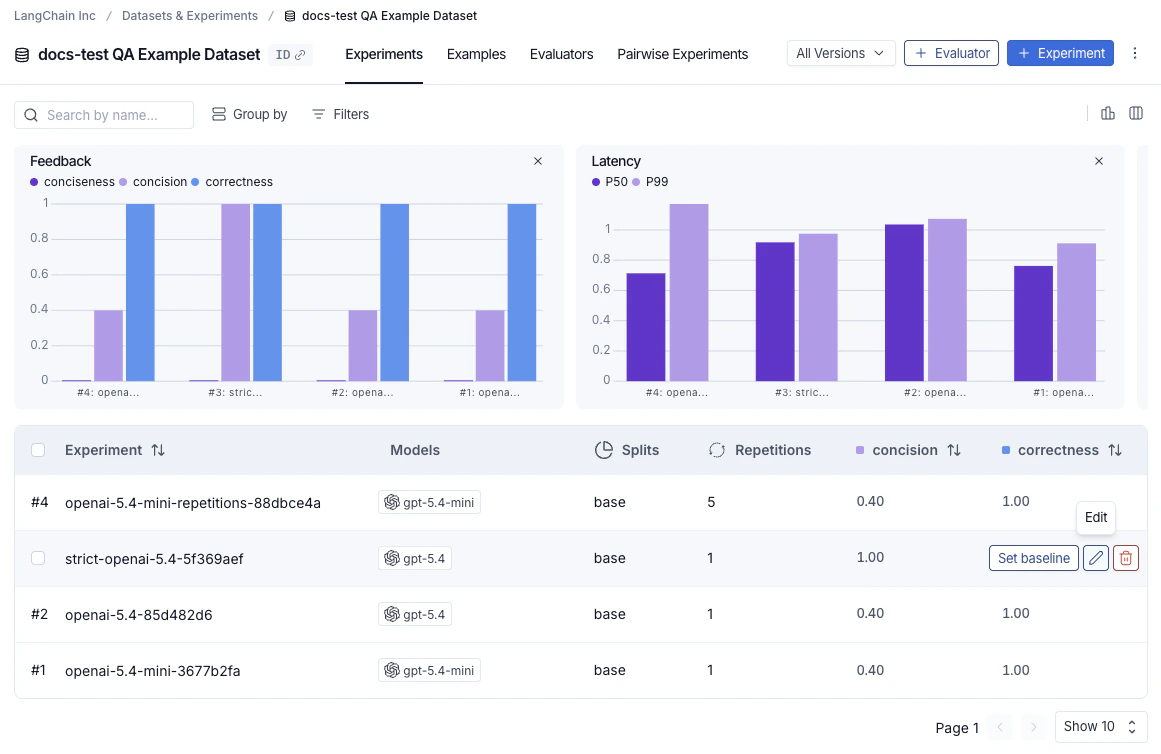
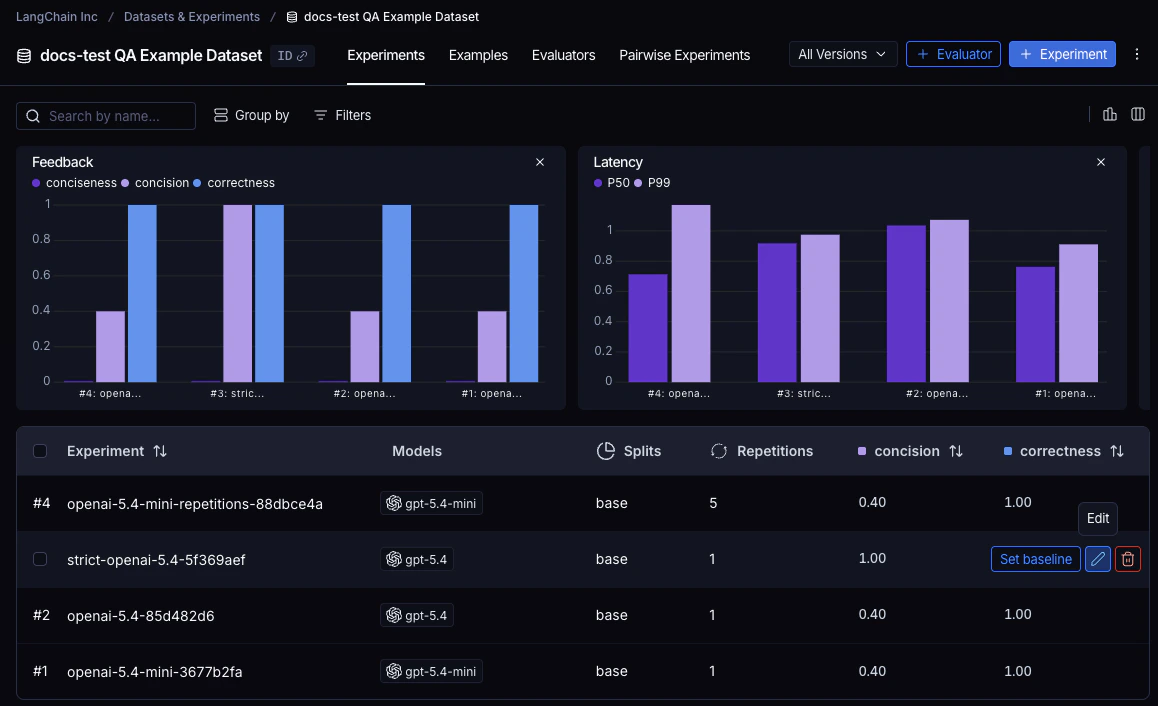
To open the Edit Experiment panel, hover over an experiment row in the experiments table and click the Edit pencil icon that appears at the right of the row.
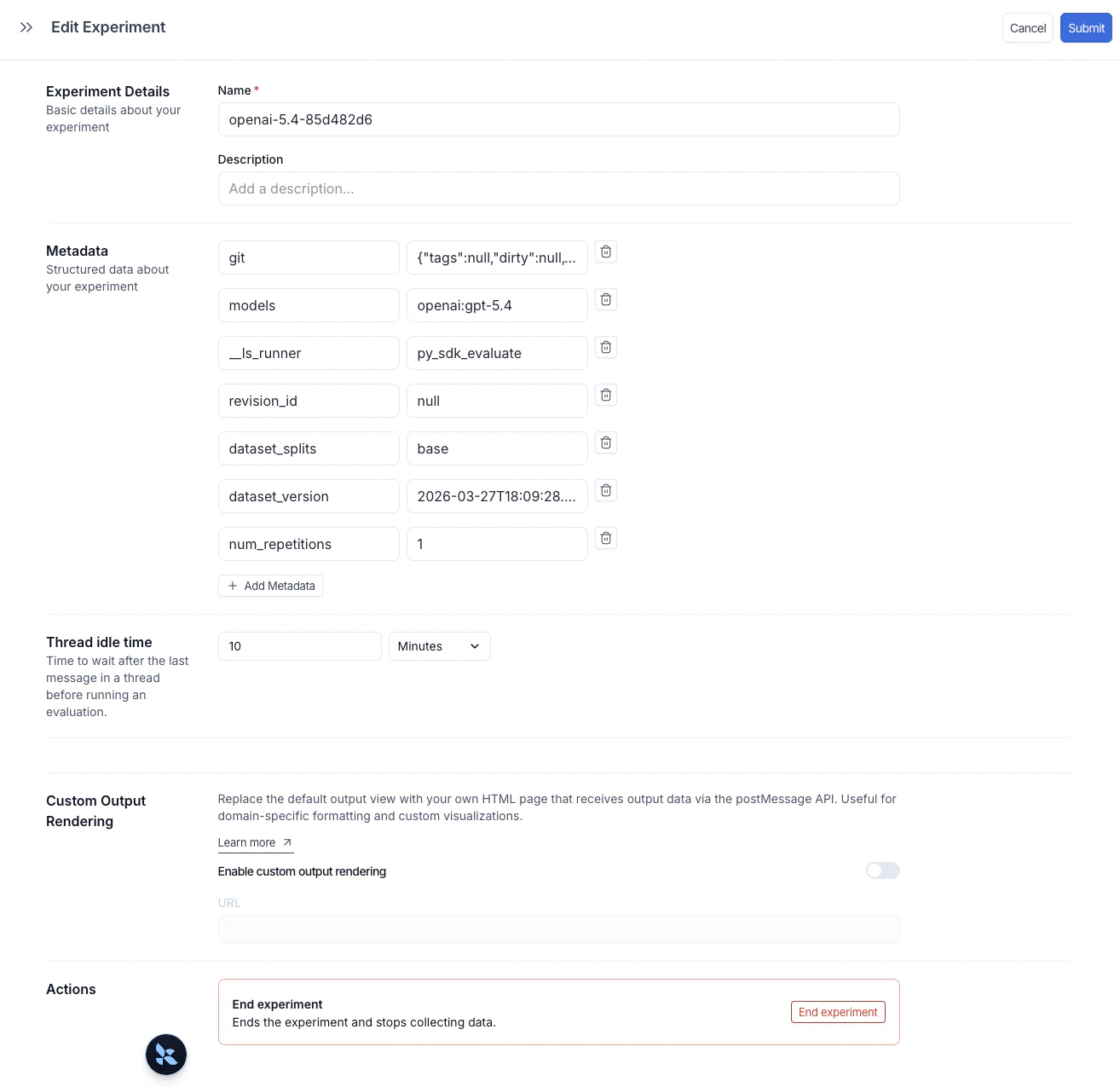
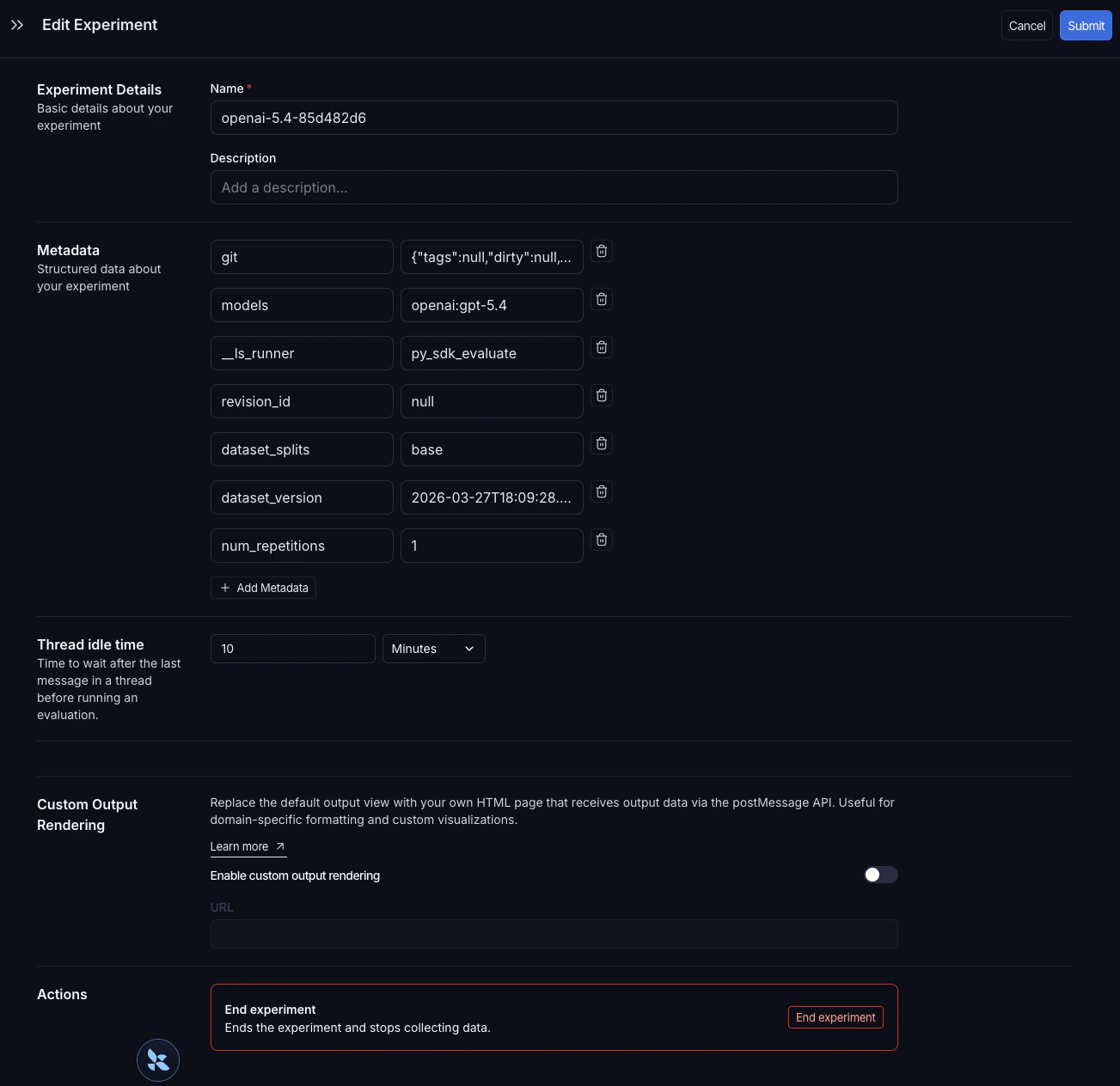
models, prompts, and tools keys automatically populate dedicated columns in the experiments table. Click a value in one of those columns to filter or group by it. For full details, see Filter and group by models, prompts, and tools.
Explore the results
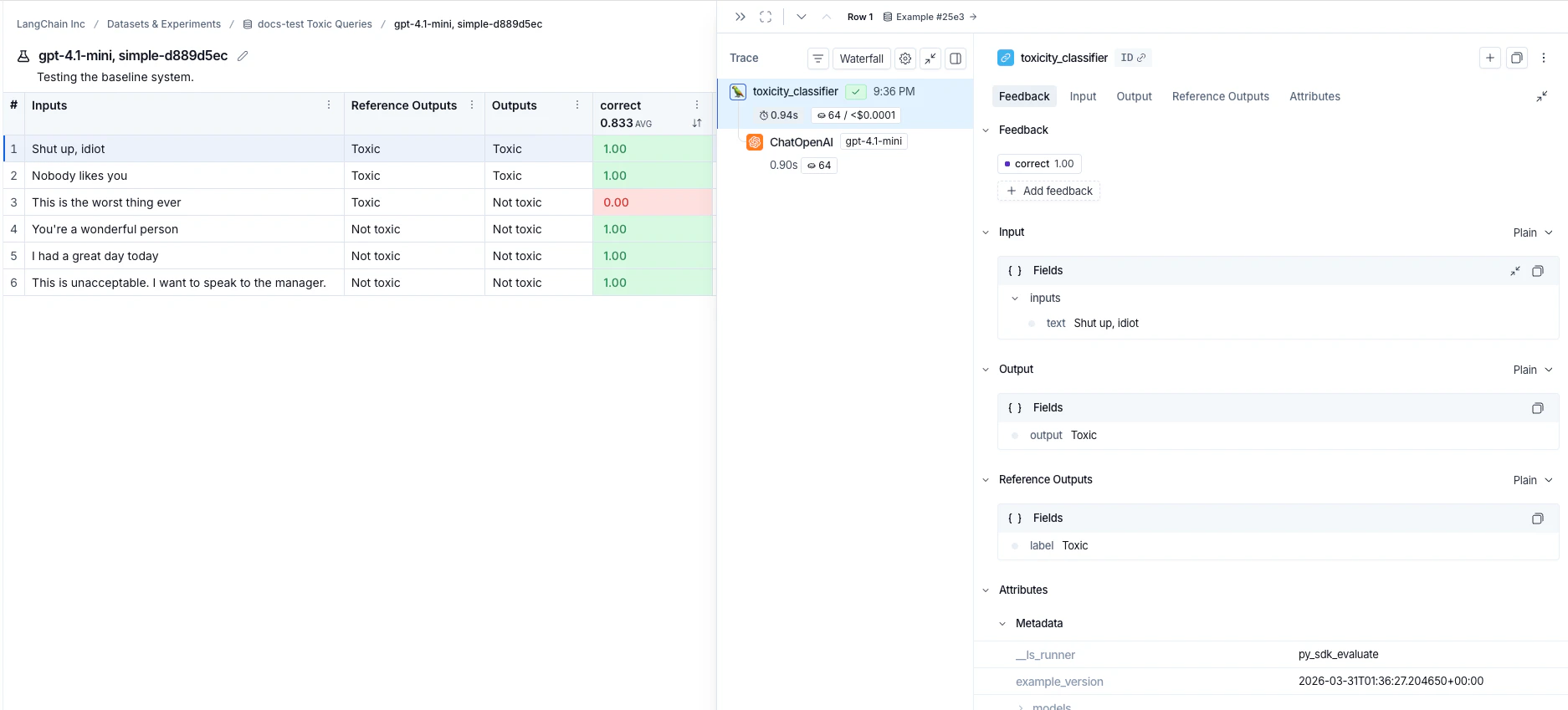
Each invocation ofevaluate() creates an experiment that you can view in the LangSmith UI or query via the SDK. See Analyze an experiment for more details.
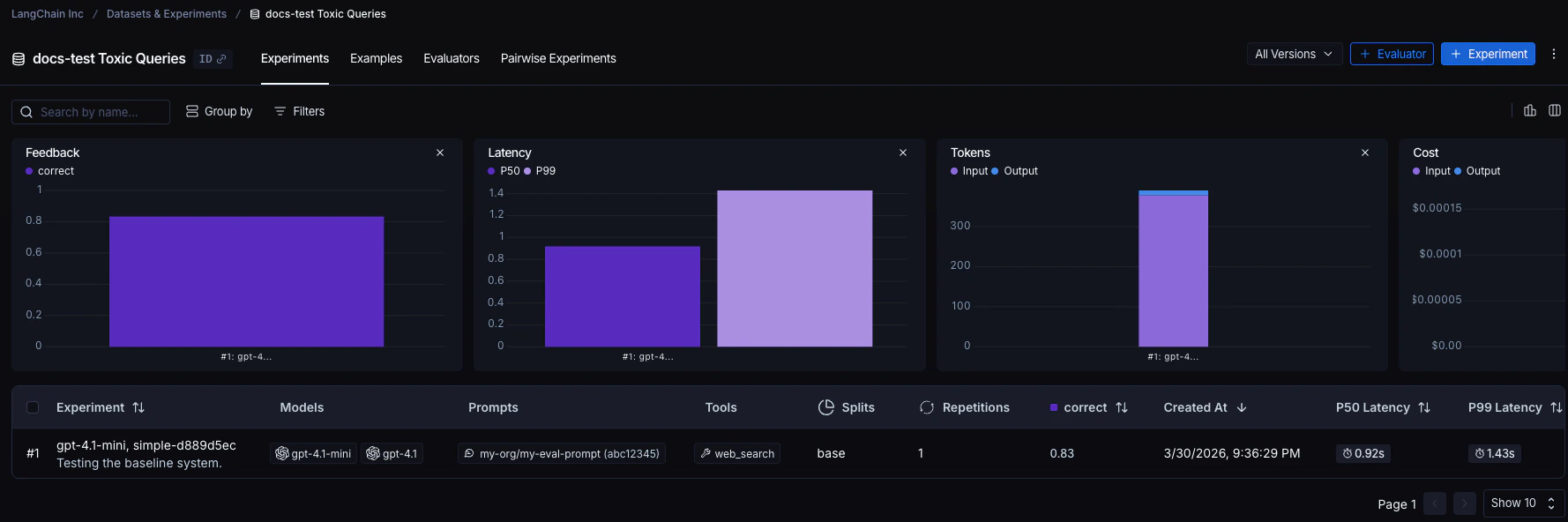
Experiments run against a dataset are listed in the experiments table.


Reference code
Click to see a consolidated code snippet
Click to see a consolidated code snippet
Related
- Run an evaluation asynchronously
- Run an evaluation via the REST API
- Run an evaluation from the Playground
Connect these docs to Claude, VSCode, and more via MCP for real-time answers.